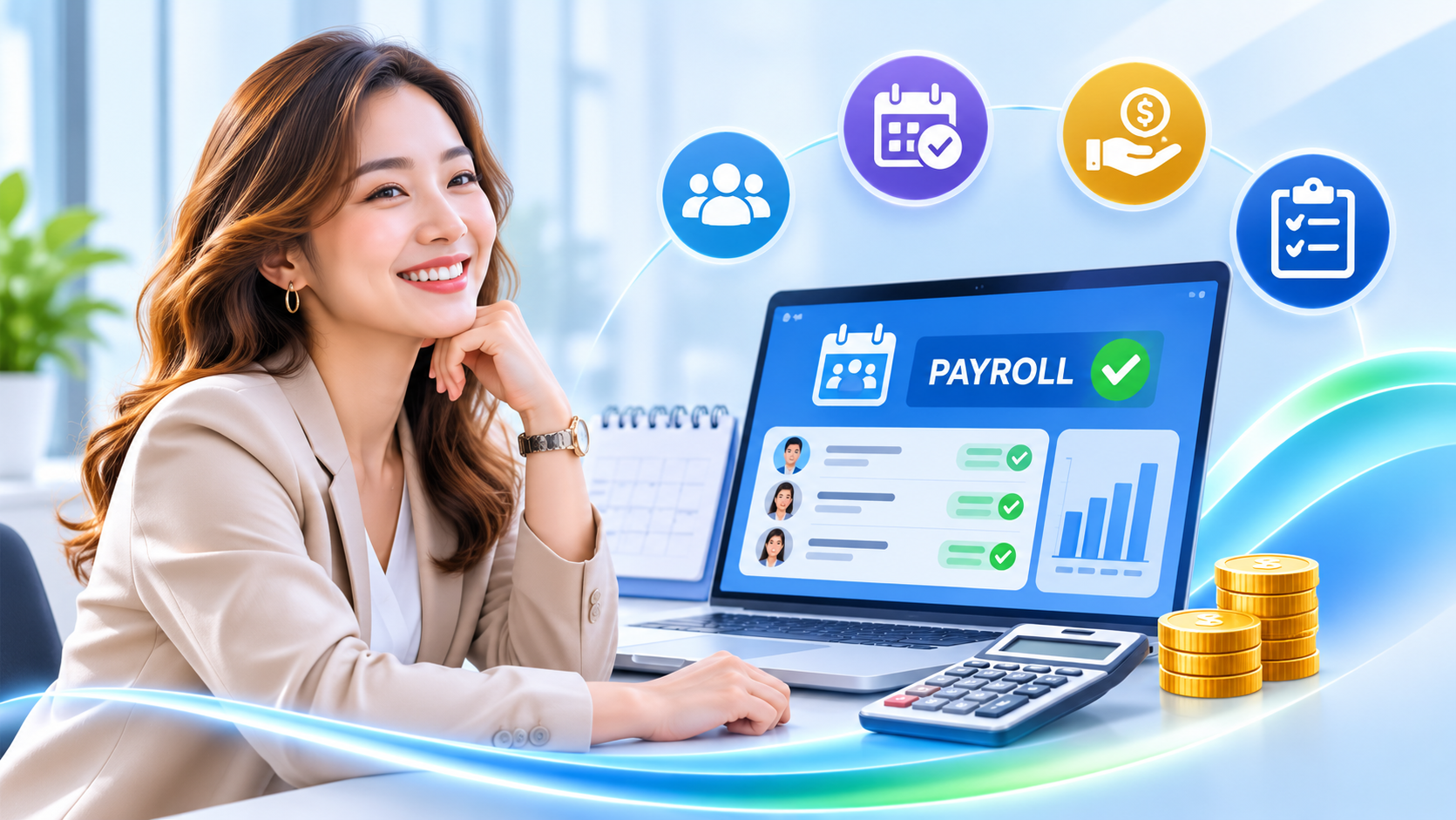
SQL HRMS Simplifies Payroll And HR Management With 90% Automation
Effortlessly manage attendance, leaves, claims, payroll, and payslips in one platform with real time activity tracking, optimized workflows, and built in statutory compliance
See SQL E-Time Attendance In Action
Discover how GPS geofenced mobile clock-in and real-time workforce presence tracking streamline your daily attendance — no punch cards, no buddy clocking.
SQL E-Time Attendance — Product Overview
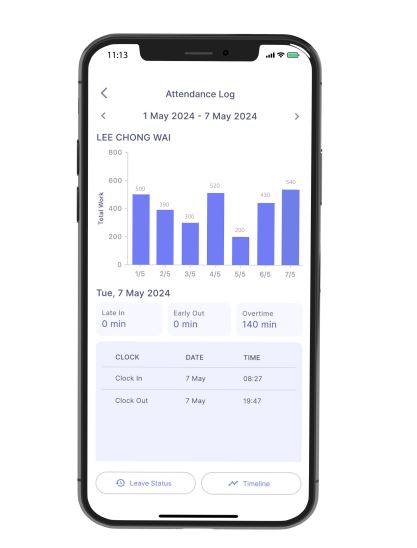
An end-to-end look at SQL E-Time Attendance: GPS geofence clock-in, real-time workforce presence tracking, and automatic overtime calculation.
E Time Attendance
Seamless GPS geofenced clock in and real time workforce presence tracking.
Manager
How SQL E Time Attendance Works?
Watch our step-by-step walkthrough of mobile attendance, geofence setup and overtime calculation
E Leave
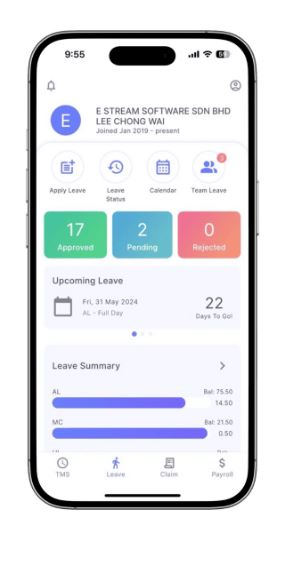
Paperless leave application, real time balance tracking, and multi tier manager approvals.
Leave Approval Assigned By Managers
Assign the range of responsibility for each manager to only approve leaves for employees of a certain branch or department. For example, the manager for the finance department can only view and approve leaves made by the employees under that department.
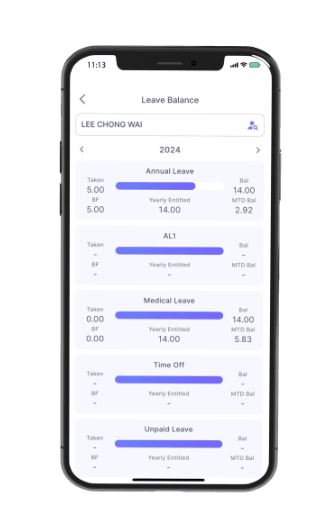
Features Of SQL E Leave / HRMS App
Streamlined paperless leave workflows with instant mobile approvals and 100% statutory payroll sync.
Easy Setup & Configuration
Configuration & sync your HRMS app with the SQL Payroll software easily. Once that is done, just login into SQL HRMS app by using your email and start submitting your leave applications.
Apply & Approve Leaves Anytime Anywhere
You no longer need to personally submit your leave applications in the HR's Office. If you need to take an emergency leave, login into your app and submit an application. The manager will be notified and will be able to approve the leave immediately.
Fast & Reliable Support
Nationwide support is provided for all E Leave, E Claim and E Time Attendance users. Technical support is provided over the phone, emails, and remote access.
How SQL E Leave Works?
E Claim
Snap receipt photos, verify LHDN e-invoice QR codes, track claims, and sync directly with payroll.
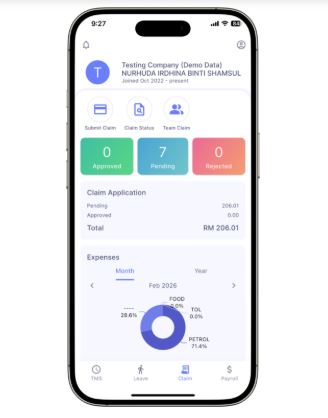
LHDN e-Invoice Ready
Scans QR code on petrol, meal, or supplier receipts to auto-populate vendor details and validate tax compliance.
Policy Budget Limits
Enforce monthly allowance caps and mileage reimbursement rates automatically before employees submit claims.
1-Click Payroll Sync
Approved claims flow straight into the month-end salary voucher and post directly into SQL Account General Ledger.
Submit And Upload Image For Employee Claims
With SQL HRMS app, your employees can submit their monthly claims along with proof of their claims at any given time. You can control the monthly and annual claim limit for the staff by configuring the claim limit in SQL Payroll. This configuration only needs to be done once. These claims will be displayed in the employee's month end payslip.
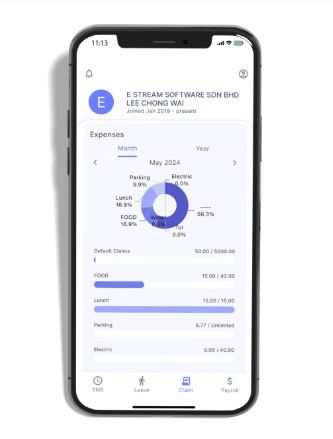
How SQL E Claims / HRMS App Works?
E Payroll
Confidential payslip access, multi-month earnings tracking, and automated statutory tax computations.
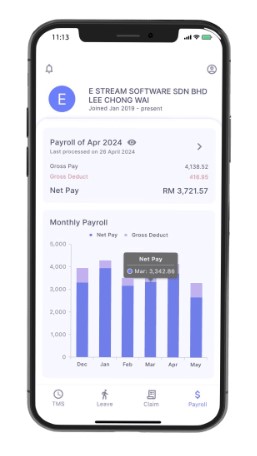
Payroll Dashboard
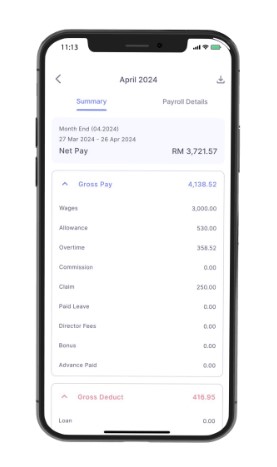
Employees can review their monthly net take-home salary, gross pay, deductions, and historical compensation trends directly from the SQL HRMS mobile app with instant biometric unlock.
Payroll Summary
Detailed itemized payslip view showing basic wages, allowances, overtime pay, commission, approved expense claims, paid leave, director fees, bonus, and gross statutory deductions (EPF, SOCSO, EIS & PCB).
E Payroll Mobile: Payslips & EA Forms On Demand
Free HR from printing, sealing envelopes, and searching past salary records. Staff access password-protected digital payslips and statutory Form EA anytime from iOS, Android, or Web.
Encrypted PDF with employee IC/PIN to safeguard salary confidentiality.
Retrieve historical payslips across multiple employment years anytime for bank loan applications.
Employees download their statutory EA Form in February with zero HR staff intervention.
Complies 100% with Malaysian Personal Data Protection Act privacy regulations.
From Employee Tap To Monthly Payroll
See how SQL HRMS connects staff self-service with the core SQL Payroll engine.
Employee Action in Mobile App
Staff clock in via GPS, apply for annual leave with dates, or submit a medical claim with receipt photos directly on iOS or Android.
Manager Real-Time Review
Managers receive immediate push alerts, check department calendar availability, and approve or reject in one tap with remarks.
Real-Time Cloud Sync
All approved leave deductions, claim amounts, and attendance OT hours sync continuously with zero manual data entry.
1-Click Payroll Batch Run
SQL Payroll computes exact salaries, statutory EPF/SOCSO/PCB taxes, and generates bank Giro disbursement files.
Manual HR Paperwork vs SQL HRMS Automation
A side-by-side view of why over 100,000 businesses replaced manual HR forms
| Workflow | Manual / Traditional HR | With SQL HRMS |
|---|---|---|
| Leave Application | Paper forms, emails, forgotten balances, manual balance tracking in Excel | 10-second mobile application with live leave radar and instant push approval |
| Expense Claims | Lost thermal paper receipts, manual data entry, late reimbursement disputes | Photo upload with LHDN e-invoice QR validation, budget caps, and direct payroll sync |
| Time Attendance | Punch cards, buddy clocking, hours of manual overtime OT calculation | Geofenced GPS clock-in, anti-buddy hardware binding, automatic EA 2022 OT calculation |
| Pay Slips & EA Forms | Printing, confidential envelope sealing, repeated requests for past years' slips | Password-encrypted PDF payslips & EA Forms with 24/7 unlimited retrieval |
Frequently Asked Questions
Everything you need to know about setting up and using SQL HRMS in Malaysia